Engineering · 9 min read
Microsoft Graph API vs. bot frameworks for meeting capture
Two paths to the same data. They look similar from a product brief but feel completely different in production.
The bot path
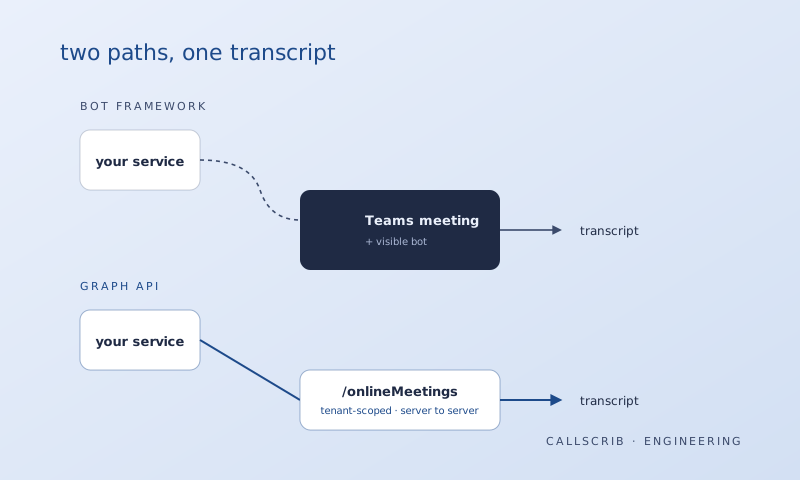
You build a service principal that joins a Teams meeting like any other user. Microsoft has a Bot Framework SDK; the bot connects to the call's media stream and captures audio in real time.
The good: you get raw media. You can do real-time things like live captions, in-meeting cues, on-the-fly redaction.
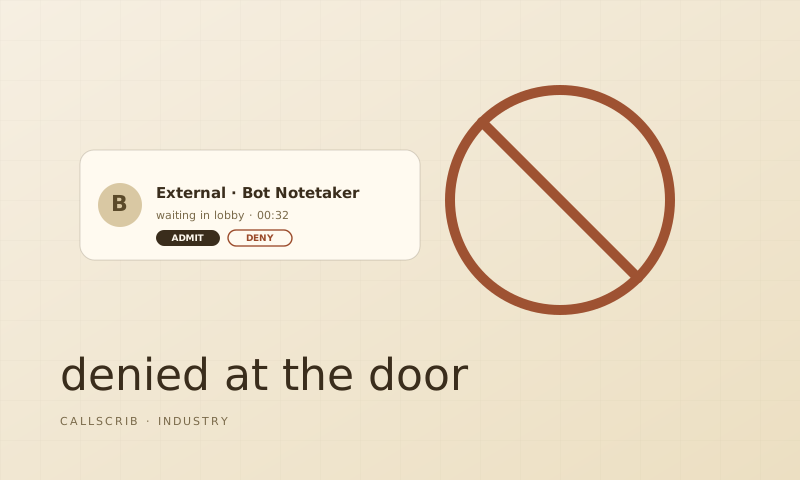
The painful: every tenant has to admit your bot account. Every meeting host has to be okay with it visibly joining. You're maintaining a media-grade service that has to handle 200+ concurrent calls per tenant during peak hours.
The Graph API path
Teams already records meetings if the organizer opts in. Those recordings, plus transcripts, plus the meeting chat, are exposed via Microsoft Graph endpoints. With tenant-level admin consent on the right scopes, your service can pull this data after the meeting ends, no participant required.
The good: zero in-meeting footprint. The admin grants scopes once and every user is enrolled. Scaling is normal-API scaling, not real-time media.
The painful: you're at the mercy of Microsoft's recording behavior. If the meeting wasn't recorded, you have nothing. Latency from "meeting ends" to "transcript available" is typically 30 to 90 seconds.
The decision matrix
Use the bot path if you need real-time capability, multi-platform support, or features that require touching the live media stream.
Use the Graph API path if you're Teams-only, you only need post-meeting artifacts, and you care about being invisible. The tradeoff is real but for a focused product it's the right one.
What we don't talk about enough
The thing nobody tells you about bot-based capture: the operational load is enormous. We've spent zero engineering hours this quarter on "the bot got kicked" tickets. Teams that ship bot products spend 20 to 30% of their support load on it. Multiply that across two years and the API path pays for the integration cost many times over. For the user-facing side of this story, see why bot notetakers keep getting banned. For setting up transcription as a Teams admin, check the transcription setup guide.
The AI notetaker built for Microsoft Teams. No bot in your meetings. 7 meetings per month free, no credit card.
Frequently Asked Questions
What is the Microsoft Graph API for meetings?
The Microsoft Graph API provides server-to-server access to Teams meeting transcripts, recordings, and chat data. It allows tools to capture meeting content without joining as a participant.
Which approach is better for Teams meeting capture?
For Teams-only organizations that need post-meeting summaries, the Graph API is better. It's invisible to participants and has zero operational overhead from bot issues. For real-time features or multi-platform support, bots are still necessary.