Guide · 6 min read
Microsoft Teams Copilot Alternatives for Meeting Summaries in 2026
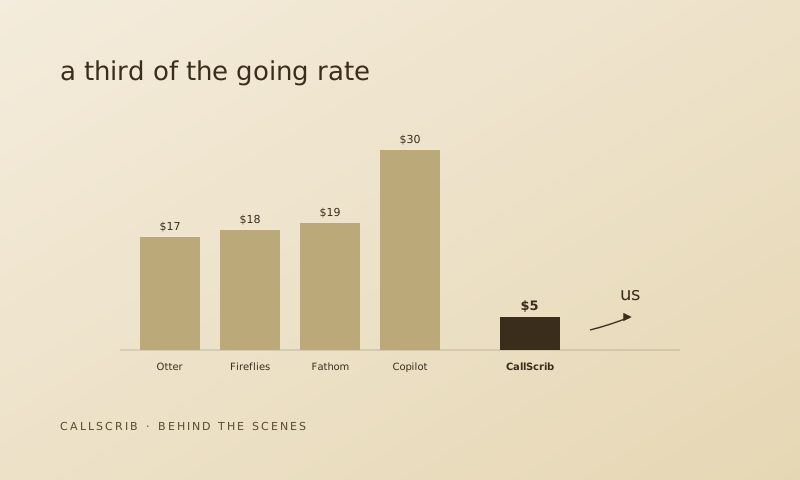
Microsoft Copilot is the default AI meeting assistant for Teams — but it comes with a big catch: you need an E3 or E5 license plus a $30/month Copilot add-on per user. For a 50-person team, that's $18,000/year just for meeting summaries. If you're looking for a Copilot alternative that covers meetings and phone calls for a fraction of the cost, here are your options.
Why look for Copilot alternatives?
Three reasons: (1) Cost — Copilot is $30/user/month on top of your existing M365 license. For meeting summaries alone, that's expensive. (2) No phone calls — Copilot only summarizes video meetings. If your team makes PSTN phone calls through Teams, those conversations go undocumented. (3) Individual-only summaries — Copilot shows summaries only to the individual user. It doesn't post a shared summary to the meeting chat for the whole team to see.
What does Copilot do well?
To be fair, Copilot does more than meeting summaries. It works across Word, Excel, PowerPoint, Outlook, and other M365 apps. If you're using Copilot for document generation, email drafting, and spreadsheet analysis on top of meeting summaries, the $30/month may be worth it. But if your primary need is meeting and call summaries for Teams, you're paying for a lot of features you don't need.
5 Copilot alternatives for Teams meeting summaries
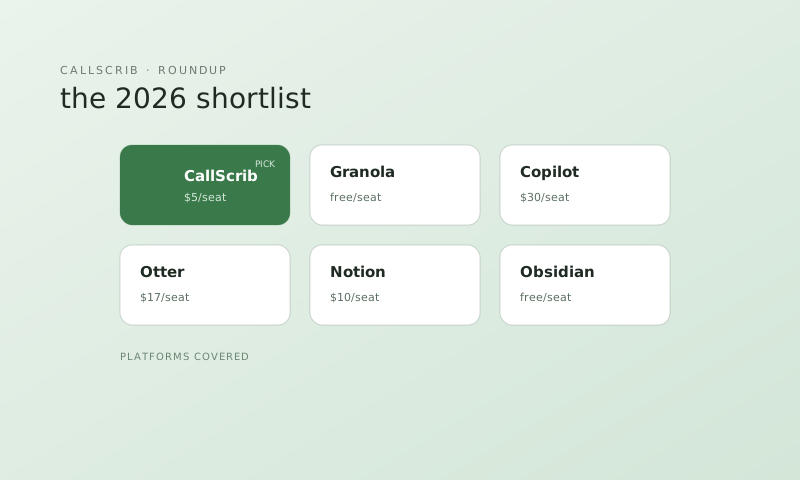
1. CallScrib ($5/mo) — Graph API-native, no bot, meetings + phone calls, summaries in Teams chat. Best overall alternative. See our full Teams notetaker comparison.
2. TeamsMaestro ($20/mo) — Bot-based, meetings only, no phone calls. Will be affected by Microsoft's 2026 bot ban.
3. Fireflies.ai ($19/mo) — Bot-based, multi-platform, no phone calls. Affected by bot ban.
4. Otter.ai ($16.99/mo) — Bot-based, Zoom-first, limited Teams support. Affected by bot ban.
5. Gong (Enterprise pricing) — Full revenue intelligence platform. Overkill for most teams. Starts at $100k+/year.
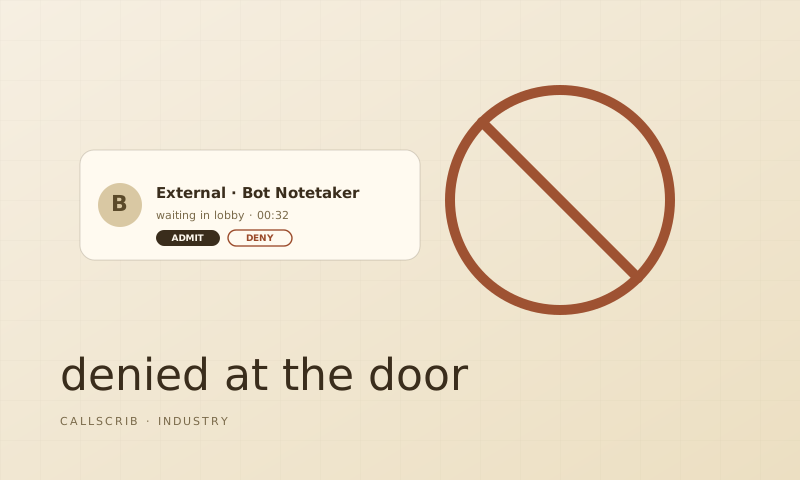
Most bot-based tools on this list face an uncertain future. Learn why bot notetakers keep getting banned.
CallScrib vs Copilot: detailed comparison
CallScrib costs $5/user/month — 67% cheaper than Copilot. It covers both meetings and PSTN phone calls, while Copilot covers meetings only. CallScrib posts shared summaries to the Teams chat within 60 seconds, while Copilot shows summaries individually. CallScrib works with any M365 Business Standard license — no E3/E5 required. And CallScrib offers 7 free meetings every month, so you can try it with no commitment.
Do I need to replace Copilot entirely?
No. CallScrib and Copilot can run side by side. Some organizations use Copilot for document generation and email, and CallScrib specifically for meeting and call summaries. CallScrib doesn't conflict with Copilot because it works through the Graph API — it reads transcripts after meetings end, the same way Copilot does.
The AI notetaker built for Microsoft Teams. No bot in your meetings. 7 meetings per month free, no credit card.
Frequently Asked Questions
What is the cheapest alternative to Microsoft Copilot for Teams?
CallScrib at $5/user/month is the cheapest full-featured alternative to Copilot for Teams meeting summaries. It also covers phone calls, which Copilot does not.
Can I use a Copilot alternative without E3 or E5?
Yes. CallScrib works with any Microsoft 365 Business Standard license or above. No E3, E5, or Copilot license required.
Do Copilot alternatives cover phone calls?
Most don't. CallScrib is one of the few that summarizes PSTN phone calls in Microsoft Teams, in addition to video meetings.
Can I use CallScrib and Copilot at the same time?
Yes. They work independently and don't conflict. Many organizations use Copilot for document/email features and CallScrib for meeting and call summaries.