Roundup · 7 min read
8 best note-taking apps for Mac in 2026
Mac users have more note-taking options than any other platform. From Apple's own apps to powerful third-party tools built specifically for macOS. If you spend your days in meetings, the AI notetaker category is worth paying attention to.
Best AI meeting notetakers for Mac
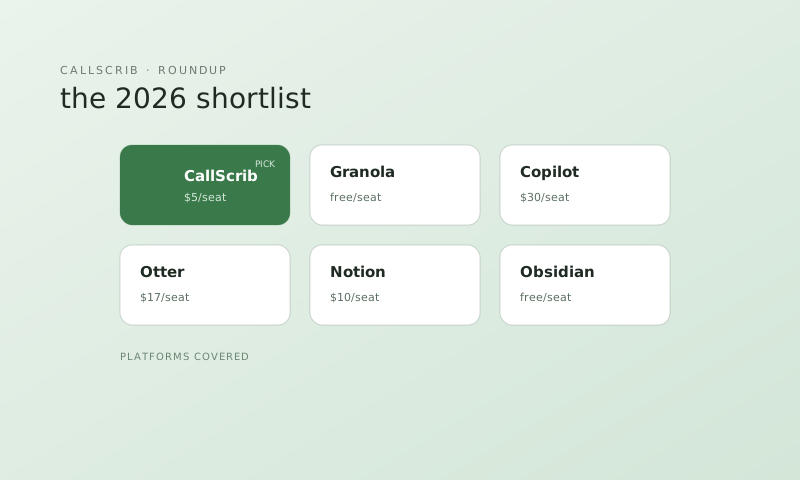
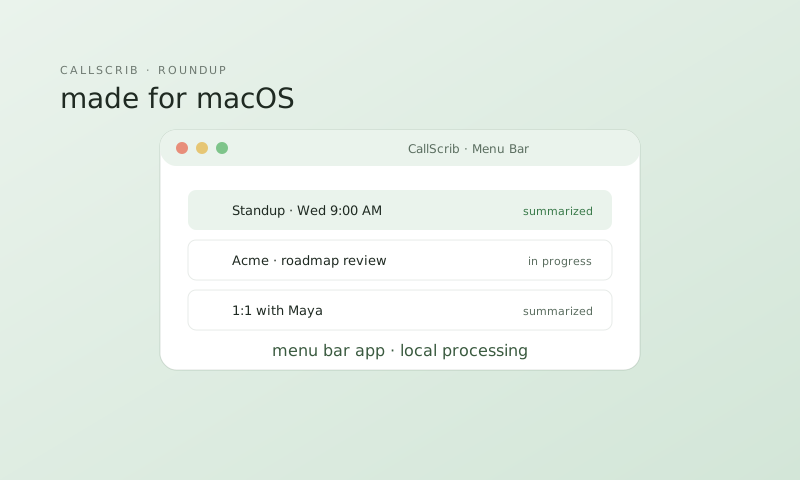
1. CallScrib ($5/mo) — AI meeting summaries for Teams, Zoom, Google Meet, and Webex. The macOS desktop app sits in your menu bar and detects meetings automatically. Also has a native Teams integration via the Graph API. 7 free meetings per month.
2. Granola (Free tier) — Beautifully designed Mac-native AI notetaker. Records meeting audio locally and combines it with your typed notes. Mac-only, no Windows.
3. Microsoft Copilot ($30/mo) — If your company is on M365 E3/E5, Copilot works inside Teams on Mac. Expensive but covers more than just meetings.
Best general note-taking apps for Mac
4. Apple Notes — Underrated. Fast, free, syncs across all Apple devices instantly. Supports folders, tags, smart folders, inline PDFs, quick notes from any app.
5. Obsidian — Local-first markdown notes with a powerful linking system. Your notes are plain .md files stored on your Mac. No vendor lock-in.
6. Notion — Feature-rich workspace combining notes, databases, and project management. Excellent Mac app. Free for personal, $10/mo for teams.
7. Bear — macOS and iOS exclusive markdown editor with a beautiful design. Focuses on writing, not features.
Best for iPad + Mac combo
8. Notability — Handwriting notes on iPad with Apple Pencil, synced to your Mac. Audio recording that syncs to your handwritten notes. Best for students and visual thinkers.
The AI notetaker built for Microsoft Teams. No bot in your meetings. 7 meetings per month free, no credit card.
Frequently Asked Questions
What is the best free note-taking app for Mac?
Apple Notes. It's fast, syncs everywhere, and keeps improving. For AI meeting notes, CallScrib offers 7 free summaries per month.
What's the best AI notetaker for Mac?
CallScrib for Teams users and multi-platform coverage. Granola for a Mac-native, local-first experience.
Does CallScrib have a native Mac app?
Yes. The CallScrib desktop app runs natively on macOS and sits in your menu bar. It detects meetings automatically.